
Rigs and friends
- Your rigs are under My account → Rigs.
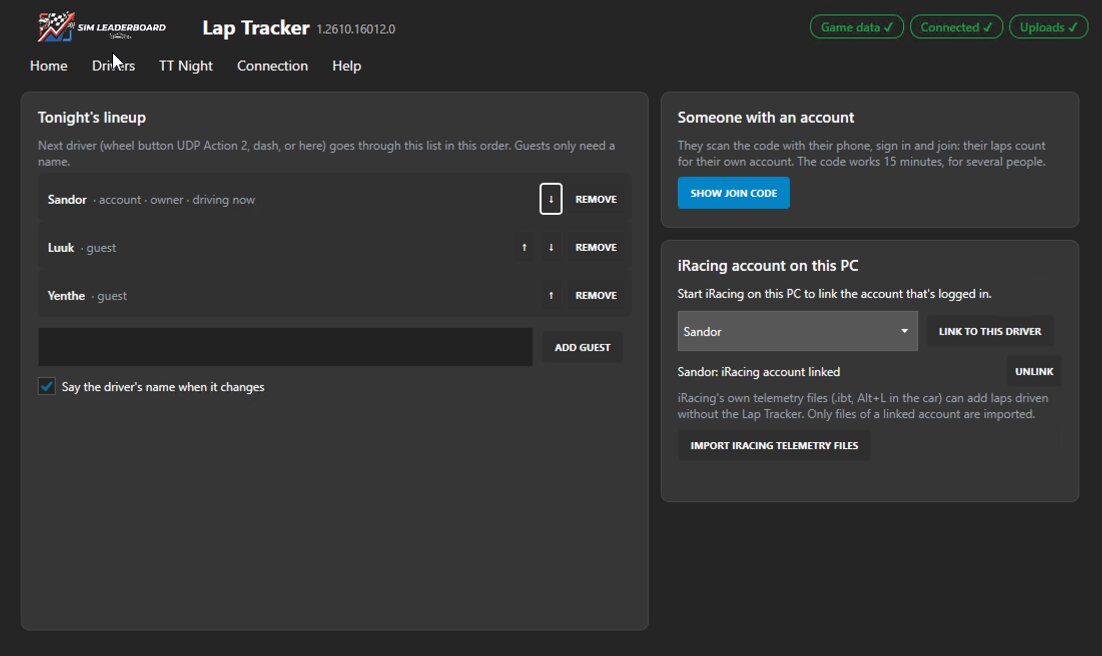
- Friends with an account: in the Lap Tracker's Drivers tab click Show join code. A QR code appears; your friend scans it, signs in and taps Join. From then on they can drive on your rig as themselves. Friend not at your rig? Send them a join link instead: My account → Rigs → Drivers on this rig → Join link (it works for 7 days).
- Guests are added by name in the same tab (Add guest). Their laps show with a GUEST badge. Send a guest a claim link and their laps move to their account once they sign up: the SIM Leaderboard app shows a QR per guest on its Home tab after a session, and the bell reminds you the morning after. You can also make one under My account → your rig → Drivers on this rig. The link shows the guest their laps and best times before they sign up.
- Removing someone from your rig: My account → your rig → Drivers on this rig. Their laps stay.
- Rig status: under each rig you see when its Lap Tracker was last running, its version, laps still waiting to upload and anything that needs fixing (see Troubleshooting).
More in the guide: Getting started · Which laps count · iRacing · Switching drivers · The phone dash · The on-screen overlay · Leaderboards · Weekly challenges · Driver rankings · Driver rating · Achievements · The lap page · Setups of the fastest laps · My laps: every lap you drove · My progress: how you develop · Graphs and mini-sectors · Replay: 2D and 3D · The corner table · Telemetry Studio · Track maps · Your account and notifications · Profile, friends and groups · Fair play · Privacy and your data · Troubleshooting