
Replay: 2D and 3D
The replay is part of Pro, like the rest of the telemetry.
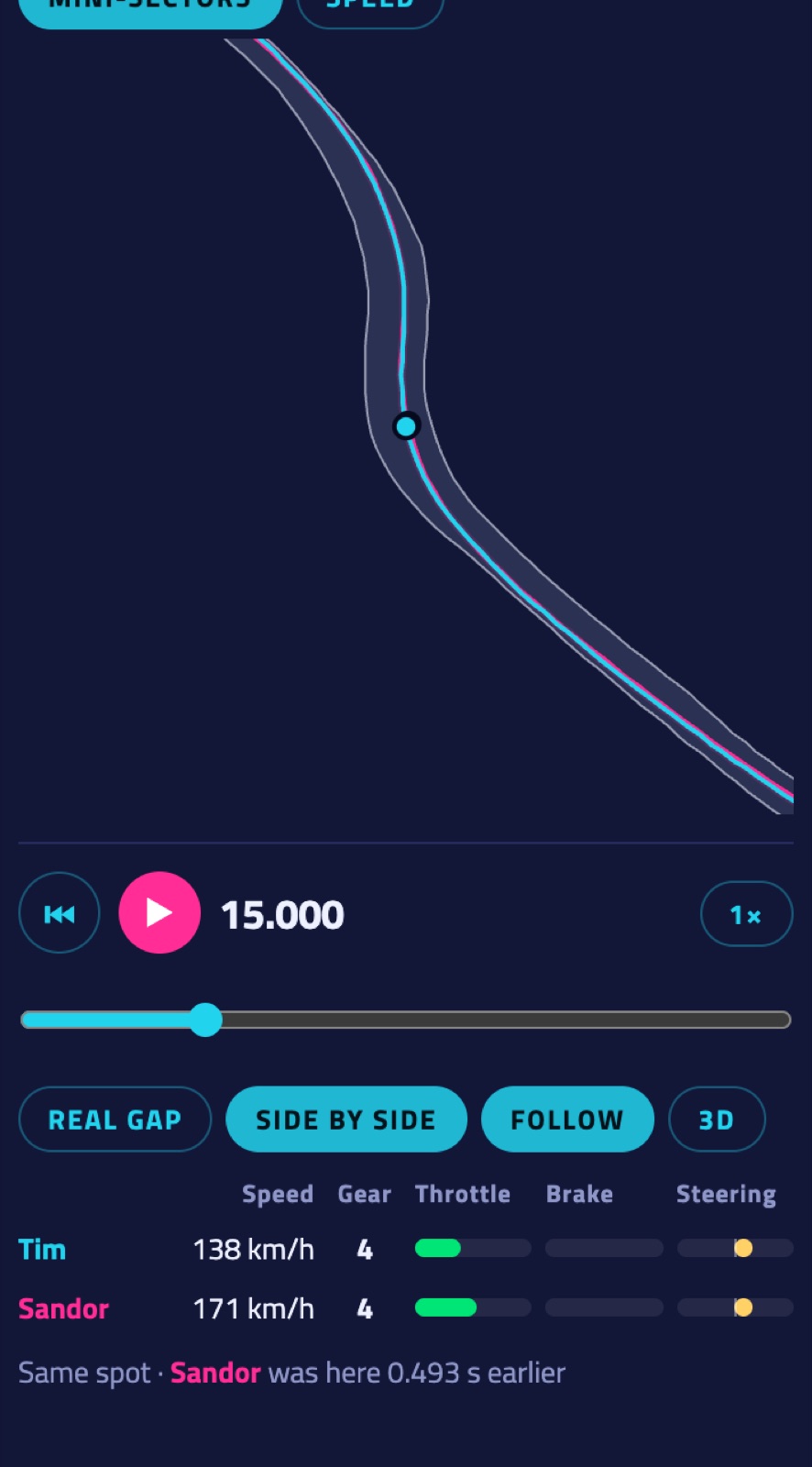
- Play under the map, with ¼× to 4× speed and a slider through the lap. Click in a graph to jump there.
- Real gap runs both laps on the same clock: you see the real gap grow. Side by side puts both cars on the same spot of the track, so you see the difference in line and when each driver got there.
- Follow zooms the map in on the cars, with both racing lines.
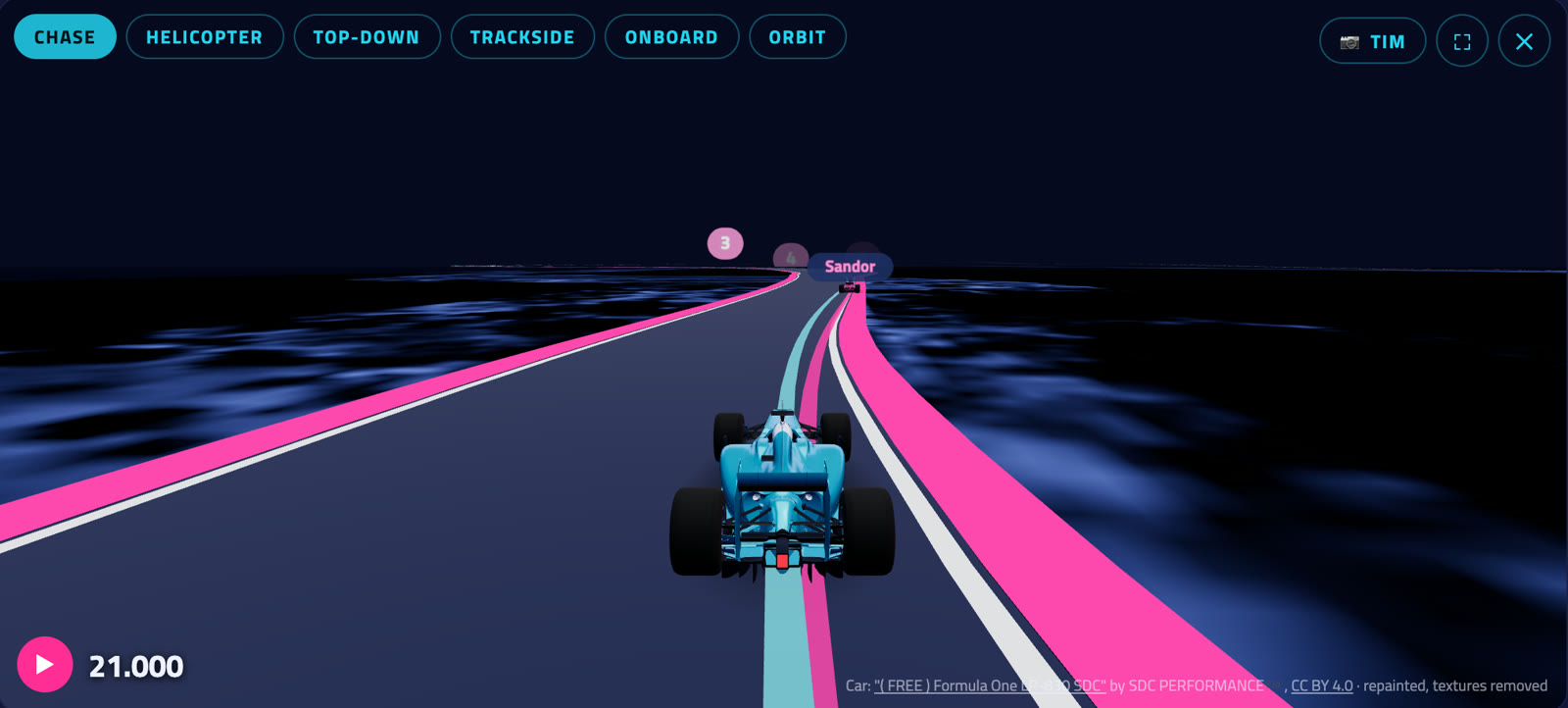
- 3D opens the 3D replay above the graphs. Cameras: Chase (behind the car), Helicopter, Top-down, Trackside (TV cameras along the track), Onboard and Orbit (drag to look around, scroll to zoom). The two names next to the play button pick which car the camera follows; ⛶ is full screen.
- Extra laps you add with Also show (Pro) drive along too: dashed lines and their own dots on the map, and their own cars in 3D.
- Car angle (switch in 3D) colours your line by how much the car slides, in the same colours as the map's Car angle view. F1 25 and iRacing laps.
- The road edges show the mini-sector colours; the pink numbers are the corners from the corner table.
- On tracks whose edges we know (see Track maps) the road has its real edges and kerbs, so you see where on the track each car was. Elsewhere the road is drawn around the driven line.
More in the guide: Getting started · Which laps count · iRacing · Switching drivers · The phone dash · The on-screen overlay · Leaderboards · Weekly challenges · Driver rankings · Driver rating · Achievements · The lap page · Setups of the fastest laps · My laps: every lap you drove · My progress: how you develop · Graphs and mini-sectors · The corner table · Telemetry Studio · Track maps · Your account and notifications · Profile, friends and groups · Rigs and friends · Fair play · Privacy and your data · Troubleshooting