
Leaderboards
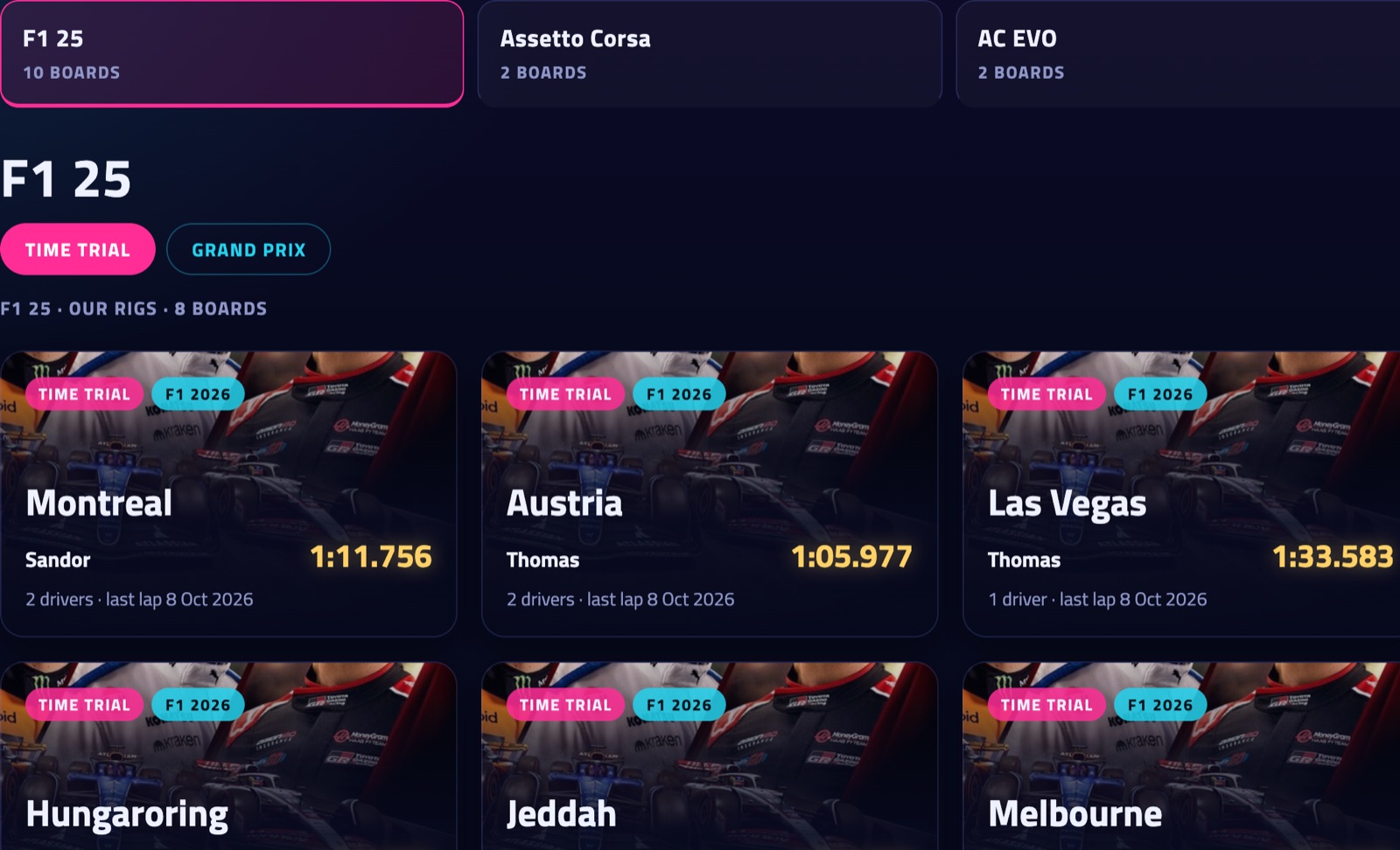
The home page has a page per game (the tiles at the top) and per kind of session (Time Trial / Hotlap, Grand Prix / Race weekend). Each card is a board: the track, the cars and the current leader. Boards update live.
- PC · Console · Crossplay (F1 25): the F1 boards show laps driven on a PC, laps driven on a PlayStation or Xbox, or both together. PC is where they open; your choice is remembered. The game tells which platform a lap was driven on, so every lap counts on Crossplay and on its own platform's board. Your records (P1 on the dash and overlay, "your record was beaten", the record posts) count on your platform's board: a console lap doesn't beat a PC record. Prefer to race everyone? My account → Leaderboards → Records against: Crossplay. Ratings, rankings and the weekly challenges count every lap.
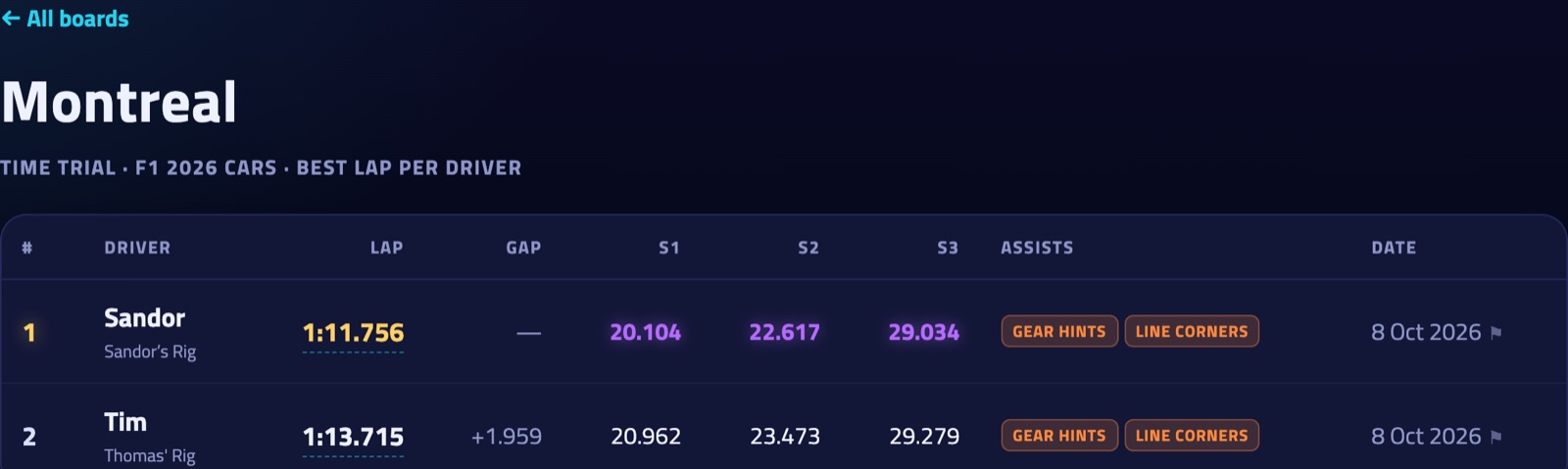
- Sector times on a board: ■ purple is the fastest sector on the board.
- Tracks with more than six sectors: one strip of blocks per driver, a block per sector. Purple is the fastest on the board, the brighter a block the closer to it. Point at a block for its time; the Sector times switch shows every sector as a column.
- GUEST drove without an account. MOD / STOCK: a modded car or track, or one that comes with the game (Assetto Corsa). NO TRACE: a top-10 lap without telemetry.
- Click a time to open the lap.
- When (above the table): all time, or only the laps of this week, last week, this month or last month. Each driver's best lap in that period; weeks run Monday to Sunday, in UTC. A fresh race every week, even when the all-time record is out of reach.
More in the guide: Getting started · Which laps count · iRacing · Switching drivers · The phone dash · The on-screen overlay · Weekly challenges · Driver rankings · Driver rating · Achievements · The lap page · Setups of the fastest laps · My laps: every lap you drove · My progress: how you develop · Graphs and mini-sectors · Replay: 2D and 3D · The corner table · Telemetry Studio · Track maps · Your account and notifications · Profile, friends and groups · Rigs and friends · Fair play · Privacy and your data · Troubleshooting